

You Already Have ChatGPT. Here's How to Actually Use It Like a Mother.

It's 9:47 PM, the dishwasher is running, and I'm typing "at what point do I take my daughter to the doctor for an ear ache" into my phone like I'm texting a friend. That friend happens to be AI, and “she” never gets tired of my questions, never judges the chaos, and is somehow always awake.
Here's my guess: you already have the ChatGPT app on your phone. Maybe you downloaded it months ago, asked it something small, and never really went back. Or you use it here and there but have no idea if you're actually getting the most out of it - or if you should just bite the bullet and upgrade to Plus.
That's what this post is for. Not "how to download an app" (though I'll cover that in 30 seconds for the handful of you who haven't yet) - but how to actually use what you've got, and how to know if free is enough or if it's time to pay. That, and how to use it like a mother, because as moms, we don’t want to be left behind and also, we will figure it out on our own some way or another. And moms are bosses in their own right so - like a mother.
Step 1: If You Haven't Downloaded It Yet
Already have it? Skip to the next section. If not, it takes 30 seconds:
Search "ChatGPT" in the App Store or Google Play (make sure it's the official one, made by OpenAI)
Sign up with your email or Google account
Done - or use chatgpt.com on your laptop if you'd rather type than tap
Are You Actually Using It Right?
The biggest mistake I see moms make with ChatGPT isn't never downloading it - it's downloading it, typing something like "hi" or "what can you do," and closing the app unimpressed. That's like buying a Crock-Pot and only ever boiling water in it.
Instead, give it a real problem from your actual week. Try one of these:
"I have 3 kids under 8, a full-time job, and a house that feels chaotic. Give me a simple Sunday reset routine I can actually stick to."
"Turn this to-do list into a realistic weekly plan: [paste your list]."
"Write a polite but firm text to my kid's teacher about a scheduling conflict."
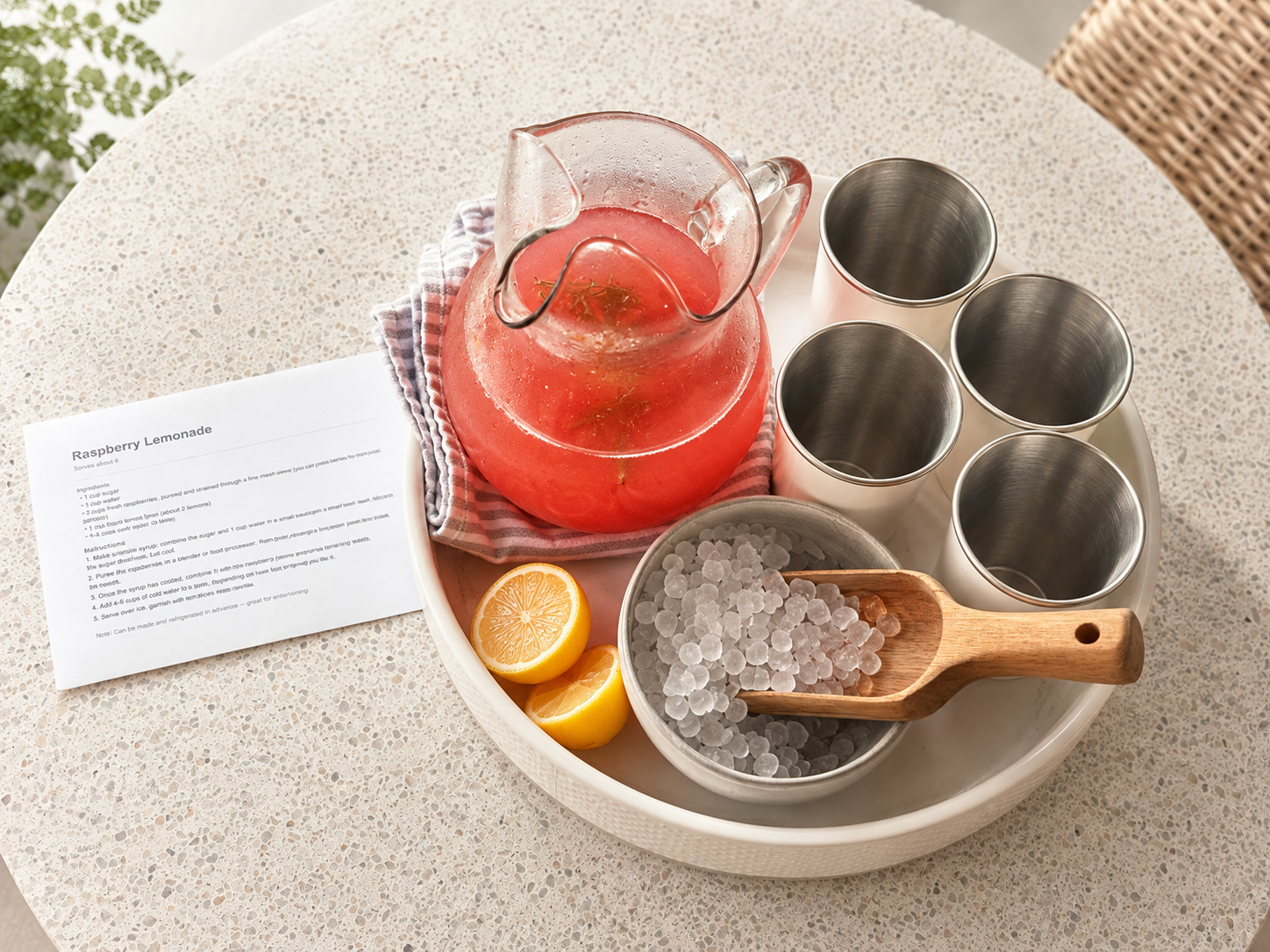
“Turn this Pinterest post into an actual printable recipe that I can read.” (See raspberry lemonade.)
This is the moment it clicks for most moms. It's not a search engine. It's more like texting a really organized friend who has unlimited patience and zero opinions about your life choices.
What You Actually Get Without Paying a Cent
The free version of ChatGPT is genuinely useful, and I want to be upfront that you don't have to pay to get value here. On Free, you get:
Access to ChatGPT's standard model for everyday questions
Basic image creation
Web search built in, so it can pull current info (store hours, recipes, local events)
File and photo uploads
The catch is a usage ceiling. You'll hit a message limit within a few hours of heavy use, and then it downgrades you to a lighter, less capable version until your limit resets. For someone dipping a toe in, that's fine. For someone trying to actually run their household through it - planning, drafting, batching content, working through a multi-step project - you'll hit that wall fast.
How to Know When It's Time to Upgrade
ChatGPT Plus is $20/month, and the price hasn't budged in years even though what you get for it keeps growing. Here's what it actually unlocks that matters for what we're doing on this blog:
No message ceiling. You can work through a full home organization project, back and forth, without getting cut off mid-task.
The "Thinking" model. This is the version that reasons step-by-step instead of just firing off a fast answer. It matters when you're asking it to build something with moving parts - a multi-week home reset plan, a budget, a meal plan around three different kid allergies.
More image generation. If you're making printables, planners, or anything visual for your family (or, like me, for your blog), Free's image limits get frustrating quickly.
No ads. OpenAI added ads to the free tier this year. Plus stays clean.
My honest take: if you're just curious and testing the waters, stay free for a week or two. But if you're using this blog's prompts regularly - if AI is becoming part of how you actually run your week - the $20 pays for itself the first time it saves you an hour you didn't have.
Ready? Here's How to Upgrade
Open the ChatGPT app or go to chatgpt.com
Tap your profile icon (top right)
Select "Upgrade plan"
Choose Plus, add payment info, confirm
You're instantly on the upgraded model - no restart needed
You can cancel anytime from that same menu, so there's no risk in trying it for a month.
Your Next Step
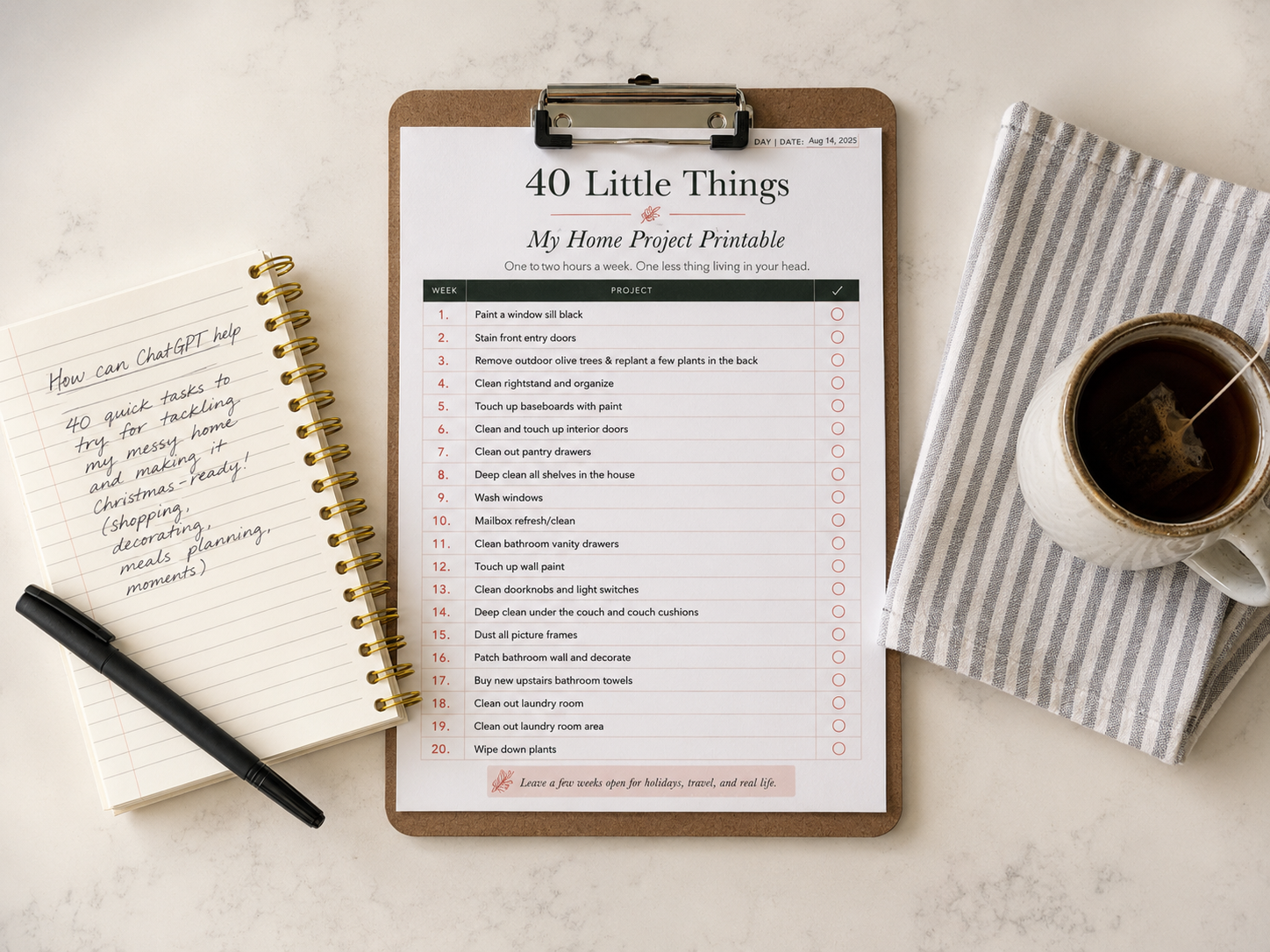
Once you're set up, come back and grab The Little Things Home Project printable - it's built specifically to work with the ChatGPT prompts in that post, and it's the perfect first real project to run through your new AI assistant.
~Leslie
